The issues parents actually hit, in order of how often they happen โ most trace back to one thing: the phone's battery saver.
Work through these in order โ each one takes under a minute:
Raxak shows each device's status on your Home screen ("Online now / Offline ยท synced X ago"). A phone that's off or has no internet can't report โ you'll see a "no activity" notice if a connected device goes quiet for days.
On the child's phone, open Raxak โ Settings โ Permissions. If Usage Access shows as missing, tap it to re-grant. Without it, measurement stops silently.
The #1 cause on Xiaomi, Redmi, Oppo, Vivo, Realme, OnePlus, Huawei. Follow all steps in the brand guide โ battery exemption, autostart, lock in Recents.
On your phone, use the refresh action on the child's card to pull the latest data immediately.
If the system had stopped Raxak, opening the app restarts protection and pushes pending data โ and you'll get a "Protection Interrupted" insight explaining what happened.
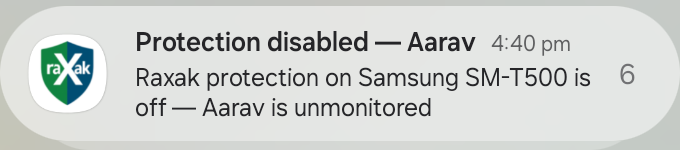
Several manufacturers ship battery savers that force-stop background apps and block them from restarting. Android then refuses to let Raxak recover on its own until the app is opened. Raxak detects this and alerts you: "Protection Interrupted โ battery settings on [device] kept Raxak's protection off".
The fix is three settings on the child's phone, done once:
Exact taps per brand are in the Permissions Guide โ brand guides. Once granted, the alert resolves to "Protection Hardened" and Raxak recovers on its own from then on.
This means the Safety Shield (Accessibility) was switched off on your child's device โ Raxak detects it instantly and tells you rather than failing silently.
It may be innocent (a system update, a cleanup app) โ or a workaround attempt. Either way, the alert exists so it's a conversation, not a mystery.
The child's device shows a persistent "Protection Disabled โ Enable Now" notification that deep-links straight to the right settings screen. Or: Raxak โ Settings โ Permissions โ Accessibility.
When it's back, you'll get "Protection restored โ [child] was unprotected for N minutes", so you know the exact gap.
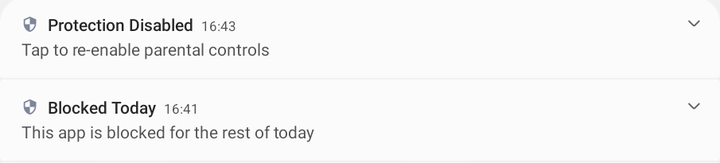
Similar alerts: "Tamper Protection Removed" means device admin was deactivated (the app can now be uninstalled) โ re-activate it from Raxak โ Settings โ Permissions on the child's phone.
Raxak syncs two kinds of things differently:
Need the latest numbers right now? Use the refresh action on the child's card. And remember the day rolls over at midnight local time โ early-morning numbers starting near zero is normal.
Enforcement is a premium feature โ after the 3-day trial ends, blocking, limits and bedtime stop enforcing (viewing continues free). Check Settings โ Subscription.
New rules reach an offline device only when it reconnects. (Rules already delivered keep working offline.)
With Accessibility off, blocking is reduced โ slower detection, no web filtering. See "Protection disabled" above.
Rules are per-child. Make sure you set the limit on the right child's tab โ and that the device in question is paired to that child.
Raxak's identity survives reinstalls โ the device rejoins the family and past days are backfilled where possible (the first Usage Access grant recovers up to 7 days from the phone's own records). If a device was removed from the family, it must be paired again from scratch.
From your (parent) device โ PIN reset is blocked on child devices.
Sign in again with the Google account or phone number the family was created with.
Six digits. Every reset notifies the family, and a cooldown prevents rapid repeat resets (so a child on a shared phone can't brute-cycle it).
Note: after 3 wrong PIN attempts, entry locks for 5 minutes โ that's expected, just wait it out.