Try free for 2 weeks.No credit card needed →

Parental Controls

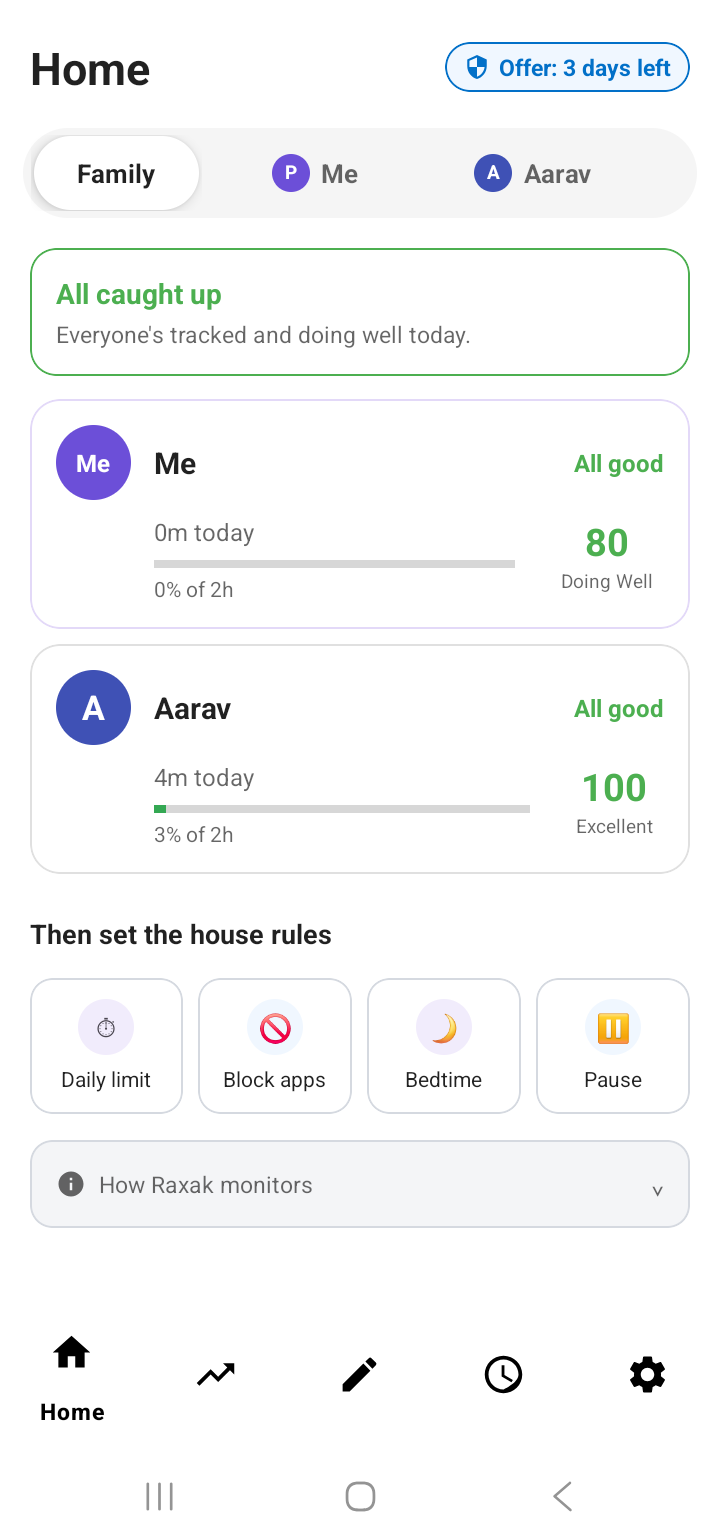
Know what your child does
on their phone.

Screen time limits. App blocking. Web filtering. Set up in minutes.

9:41 ▲▲▲ 🔋
🔒
Instagram
Blocked
Bedtime — until 7 AM
Kid opens Instagram at 10:47 PM
Khan Academy
Allowed
Learning time
Maths · 30 min18m left
Study app opens instantly
This week's screen time
40%
Great progress ✓
Last
Last
This
This
Weekly report to parent
🏠Home
📈Trends
✏️TODO
🕐
⚙️
★★★★★ 4.5 on Google Play
👨‍👩‍👧‍👦 5,000+ Indian families
Play Store verified
Sound Familiar?

You're not a bad parent.
You just need the right tools.

😰

No idea what they're actually watching, playing, or browsing.

😤

Bedtime became a nightly battle over the phone.

🚫

You said no games. They found a way anyway.

How It Works

Set up in minutes.
Peace of mind from day one.

⚙️

Set your child's limits.

Allowed apps, screen time, bedtime. 15 minutes — runs itself after that.

🔒

Their safe space. Nothing else.

Only what you've allowed is accessible. Everything else is locked.

📊

See how they're doing.

Daily reports, app usage, safety alerts.

Inside the App

Everything you need to stay in control.

Screen Time

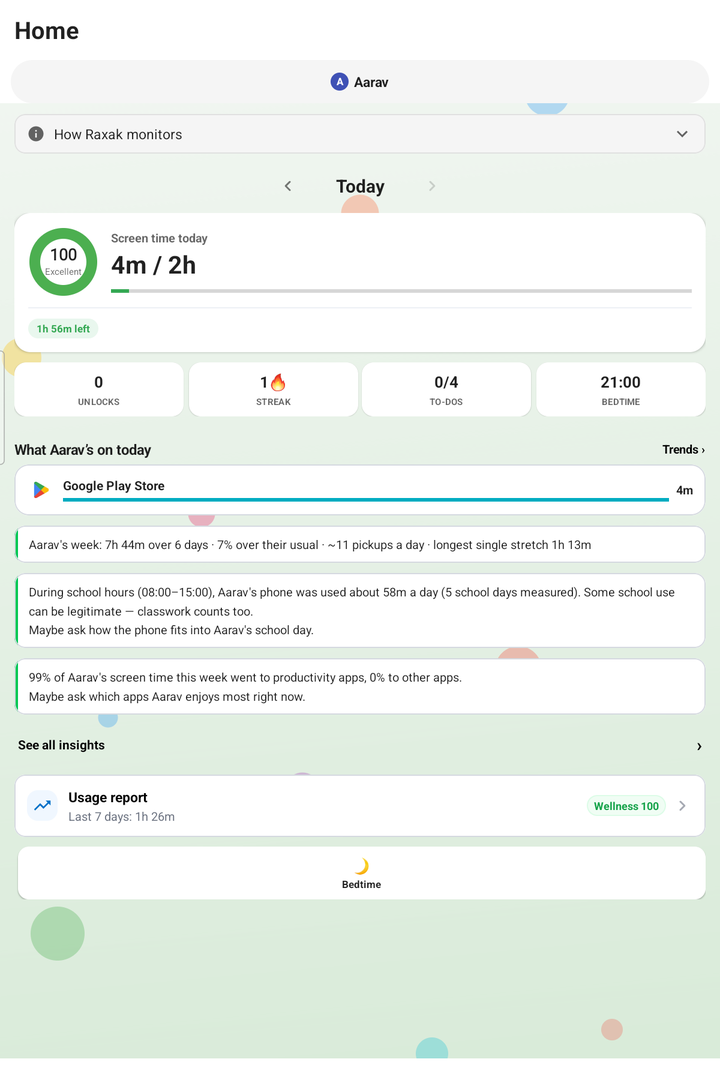
See exactly how long they spent — and on what.

Streaming, gaming, education — broken down by category. Set a limit and it enforces itself.

  • Daily usage by app category
  • Phone unlock count
  • Per-child profiles
9:41▲▲▲ 🔋
Jay
Ria
Today
Goal time left
38m
Todos completed
0/4
📈
Goal Streak
🔥5
🔓
Screen unlocks
7
🎙️
Screentime
48m
Streaming
19m
Communication
8m
Social
7m
Productivity
6m
Other
8m
🏠Home
📈Trends
✏️TODO
🕐
⚙️
Habits & Structure

When time's up, they see their tasks — not a blank screen.

Homework, chores, reading — whatever you assign appears automatically when screen time ends.

  • Per-child task lists
  • Streak builds as tasks get done
  • Add by voice 🎙️
9:41▲▲▲ 🔋
Ria's Tasks
Today
Complete homework
⏰ 4:00 PM
Read for 20 minutes
⏰ 6:00 PM
Practice spellings
⏰ 7:00 PM
Tidy room
⏰ 8:00 PM
🎙️
+
🏠Home
📈Trends
✏️TODO
🕐
⚙️
Weekly Reports

One score that tells you how your child's week went.

Goal adherence, sleep patterns, self-control — one number. Facts, not guesses.

  • Late-night usage & first morning pickup
  • Trends over weeks
  • Compare across children
9:41▲▲▲ 🔋
Jay
Ria
Digital Wellness Score
82
🎉 Doing Great!
Goal Adherence82%
Usage Quality68%
Sleep-Safe Usage100%
Self-Control89%
Health Impact
🌙
Late Night Usage
Avg daily 11 PM–7 AM
None!
📱
Daily Pickups
Times checked phone
3
☀️
First Pickup
First phone unlock
7:30 AM
🏠Home
📈Trends
✏️TODO
🕐
⚙️
All Features

Everything you need. Nothing you don't.

🚫

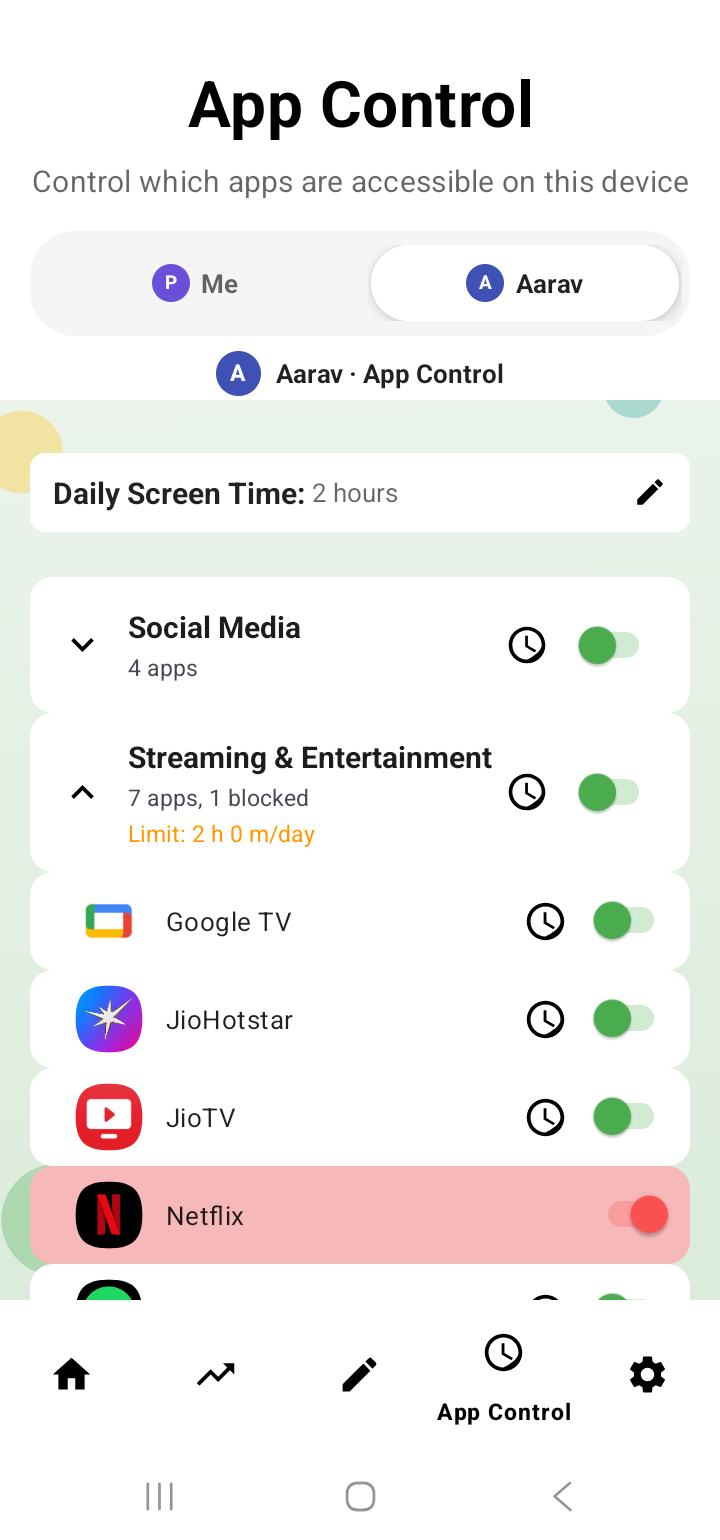
App Blocking

Block games, reels, and rabbit holes. Instantly.

🌐

Web Filtering

What they search stays appropriate.

🌙

Bedtime Lock

Phone locks itself. No negotiations.

📅

Daily Schedules

Different rules for school days, study time, weekends.

🔔

Safety Alerts

Get notified if something concerning shows up.

👥

Multiple Children

Different ages, different rules. One subscription.

🧘

Doomscroll Alerts

Nudges your child after 20 minutes of endless scrolling.

🤝

Lead by Example

Optionally put yourself in the same system — same limits, same accountability. Kids notice.

Built Different

Trusted by design, not by promise.

🛡️

On Google Play. Not a sideloaded APK.

Most parental apps bypass the Play Store entirely. Raxak went through Google's full review — security, privacy, the works.

Built by ex-Google engineers. Who are also parents.

No bloatware. Nothing running in the background that shouldn't be. 20+ years of engineering experience — lower battery drain, less data, does exactly what it says.

Parents Love It

Families across India, calmer evenings.

★★★★★

"Bedtime fights are gone. Ria puts the phone down at 10 PM without me saying a word. Worth every rupee."

PS
Priya Sharma
Mother of 2 · Mumbai
★★★★★

"Finally I know what apps my son uses. Weekly report is eye-opening. Setup took 10 minutes."

RK
Rajesh Kumar
Father of 1 · Pune
★★★★★

"Set it once, it just works. My daughter's study time went up, screen time went down. Simple."

AR
Anita Reddy
Mother of 1 · Bengaluru
Pricing

Start free. Pay only when you're ready.

2 weeks free — see it working before you pay.

No credit card. No auto-renewal. Walk away at any point — no charge.

Start Free →

After your free trial — less than you'd think

Flexible
50
per month, billed monthly
  • Child mode — one-tap switch
  • Bedtime auto-lock
  • Screen time limits
  • App blocking
  • Weekly reports
Get Started
Best Value
300
per year · ₹25/month
Save 50% vs monthly
  • Everything in Quarterly
  • Schedule templates
  • Side-by-side child reports
  • Priority support
Get the Year

Managed via Google Play · Cancel any time · One plan covers all profiles on the device

FAQ

Common questions.

Raxak puts you in the same system — your limits are visible too. When your child sees your screen time next to theirs, it feels like a family agreement, not surveillance.
All settings, uninstalls, and mode-switches require your 6-digit PIN. Failed attempts are logged and you're notified immediately.
Yes — completely. Your todo list, your scrolling nudge, your streak. Same rules for everyone.
Two ways: tap once before handing over (3 seconds), or use Child Detection Mode — Raxak switches automatically the moment they open a listed app.
No. Only allowed apps are visible. Your WhatsApp, photos, and bank apps are locked behind your PIN.
Yes. Install Raxak on their device and monitor from yours. Works just as well on separate devices.
Nothing automatic. Choose a plan or stop — no charge either way.

Take back the evenings.
Start free today.

Set it up once. Let Raxak handle the rest.

Free for 2 weeks · No credit card · Cancel any time