What you can do โ€” and how.

A complete tour of Raxak on Android: understanding your family's screen time, guiding better habits, and enforcing real boundaries โ€” plus exactly what your child sees.

The simple rule

Free to see it all. Premium to take control.

Raxak's split is deliberately simple: everything that shows you what's happening is free, forever. Everything that enforces a rule on the child's device is premium. New families automatically get a 3-day premium trial โ€” no card needed โ€” and one subscription covers every parent, child, and device in the family.

Free foreverPremium
Screen time dashboard & 7-day usage reportApp & category blocking
Trends, Digital Wellness Score, insightsDaily screen time limits (across all devices)
To-dos for the whole familyBedtime lock & daily routines
Pause ("I need you now")Web filtering & browsing activity
All safety & tamper alertsDoomscroll alerts, PIN-protected apps
Your own Parent Mode & Focus TimeHarmful-content alerts, child auto-detection

Current prices are on the pricing page โ€” you always see the exact localized price in Google Play before paying.

Free

See & understand

๐Ÿ“Š Screen time dashboard Free

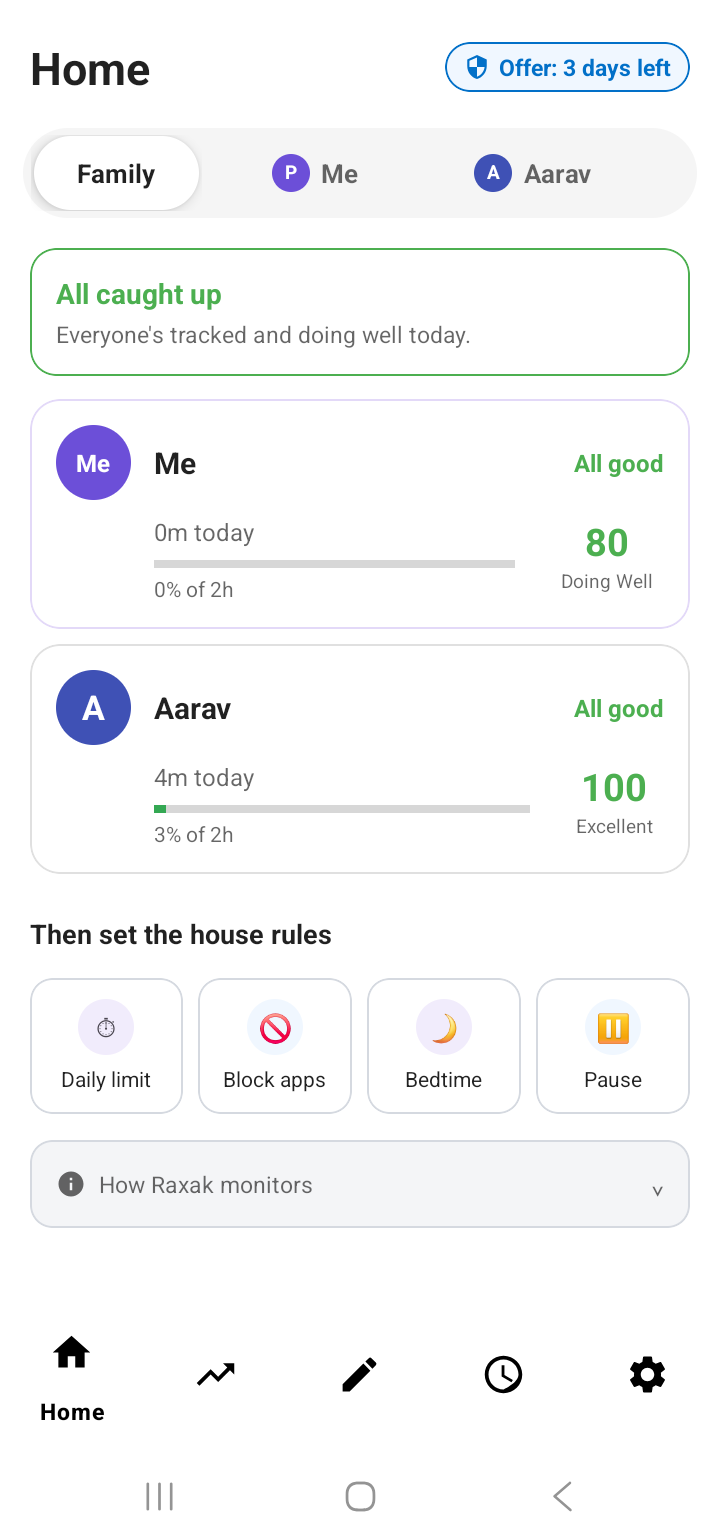
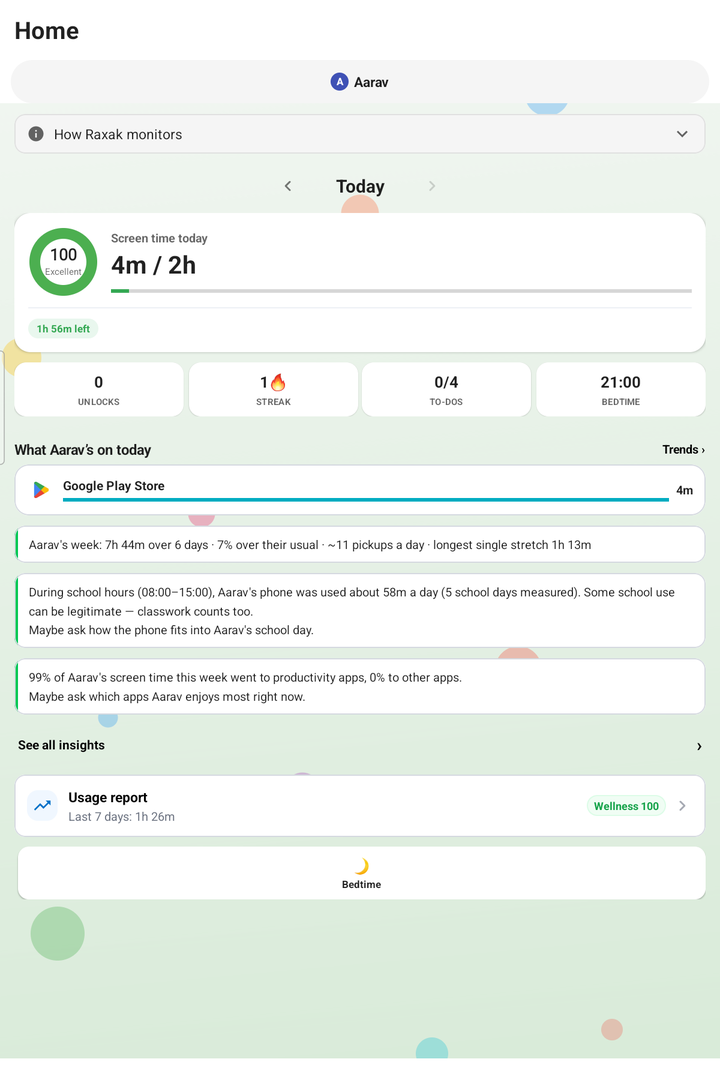
Home shows today at a glance for each family member: total time as a donut split by category, top apps, unlocks, streaks, and to-dos completed. Switch between family members with the tabs at the top โ€” "Me" first, then each child.

๐Ÿ“ˆ Usage report & Trends Free

A rolling last-7-days report per person: total and daily average, top apps, and "what we noticed" highlights. You can share it as an image. The Trends tab adds weekly patterns, streaks, late-night usage, daily pickups, and first-pickup time.

๐Ÿ’ฏ Digital Wellness Score Free

One 0โ€“100 score that summarizes the week from four parts: goal adherence (30%), usage quality (25%), sleep-safe usage (25%), and self-control (20%). It also shows how the score compares with the typical range for your child's age group.

๐Ÿ’ก Insights Free

Raxak turns raw usage into short, readable observations โ€” checking frequency, longest sessions, school-hours use, weekend contrast, habit changes โ€” as praise, info, or alerts. They appear on the dashboard and in a filterable insights feed.
Free

Guide the family

โœ… To-dos Free

Assign tasks per child โ€” one-off or repeating daily/weekly/monthly. Completions sync to your phone live. Children can also add their own tasks. Best part: when screen time ends, up to two suggested to-dos appear on the block screen, so "time's up" points at what to do next instead of a blank wall.

๐Ÿ“ฃ Pause โ€” "I need you now" Free

Dinner's ready and nobody's answering? Tap Pause and pick 1, 5, or 10 minutes: every child device pauses all apps (calls, SMS and Raxak stay available) and shows "[You] need you!". Your child taps "I'm Here!" and you see the acknowledgment live. Pauses are hard-capped at 10 minutes and end on their own โ€” it's a doorbell, not a punishment.

๐Ÿ‘จโ€๐Ÿ‘ฉโ€๐Ÿ‘ง Family management Free

Add children and parents, rename profiles, set ages, and pair extra devices โ€” a child can have several (phone + tablet), and usage merges automatically. Set Teen Privacy Mode for children 10+ to show daily summaries instead of raw browsing history.

Premium

Enforce real boundaries

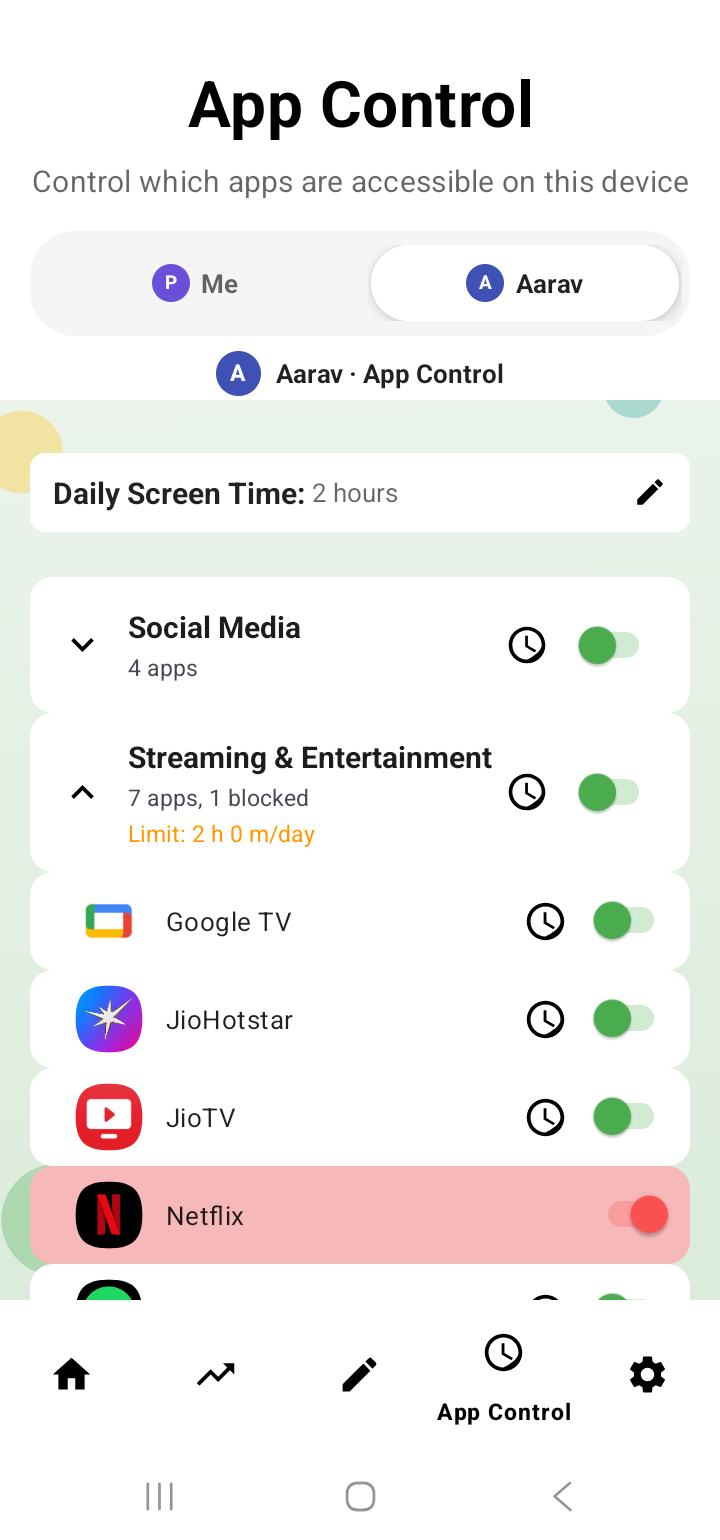
๐Ÿšซ App Control Premium

Block individual apps or whole categories (Social Media, Games, Streaming and 12 more), set per-app daily limits, and drag apps between categories. When a new app is installed on the child's device you're alerted โ€” nothing is blocked behind your back; you decide.

โฑ๏ธ Daily screen time limit Premium

One daily limit per child that sums usage across all their devices โ€” switching from phone to tablet doesn't reset the clock. When it's used up, apps hard-block for the rest of the day (the day resets at midnight, local time).

๐ŸŒ™ Bedtime lock & Daily Routine Premium

Bedtime hard-blocks apps overnight โ€” set the window once (every day or weekdays) and it runs itself; it's on by default for newly added children. Daily Routine goes further: different rules for different parts of the day, like School Time allowing only education apps.

๐ŸŒ Web filtering & browsing activity Premium

Blocks adult and gambling sites out of the box, plus any site you add. Changes reach the child's device in real time. You can also see browsing activity on the child's device โ€” or keep it summarized with Teen Privacy Mode for older kids.

๐ŸŒ€ Doomscroll alert Premium

Detects continuous scrolling in the apps you choose and shows a "Time for a Break!" nudge after the minutes you set (minimum 5).

๐Ÿ”’ PIN-protected apps & shared-phone tools Premium

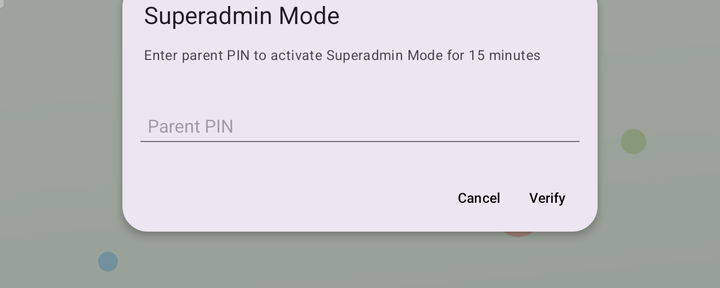
Lock specific apps (Settings, Play Store, a bank app) behind your family PIN on the child's device. On a shared phone, child auto-detection can switch to child mode automatically when a child's app is opened โ€” switching back always needs your PIN.

Always on

Safety alerts on your phone

Alerts arrive as notifications on the parent's phone, near-instantly while you're online. All of these are free except where marked:

Parent-first

Your own phone: Parent Mode

Raxak treats you as a person, not just an administrator. Opt in to "Track my screen time too" and the Me tab gives you:

Same system, different strength: children get firm boundaries; adults get honest friction. That's the parent-first idea โ€” rules feel fair because they apply to the whole house. The full thinking (and what your child sees of your data) is on Raxak for the whole family.
Transparency

What your child sees

Raxak is not a covert monitoring tool โ€” your child always knows it's there, and sees their own data too.

Their dashboard

Their own wellness ring, time used vs. limit, unlocks, streaks, to-dos and bedtime โ€” the same transparency you get. They can view and complete tasks, and add their own.

When something is blocked

A clear full-screen message says what happened and why: "App Blocked", "Screen Time Over โ€” daily screen time limit reached", "Apps are restricted during Bedtime", or "Website Blocked". There's no countdown trick and no shaming โ€” plus two constructive options right on the block screen: a Brain Gym word game, and up to two suggested to-dos.

What they can't do

Honest by design: there is no "ask for more time" button on the child's device. Limits are changed by you, on your phone โ€” ideally after a conversation, not a negotiation with an app. Blocking also works offline; rules live on the device.

See it working today.

Install Raxak, watch your own screen time first, then bring in your child. Free for 3 days.

Get Raxak on Google Play โ†’